Skip to content

How a journal entry becomes a song

You have an entry. A page about a week that mattered, or four lines typed on a train. You want to hear it sung. There are three ways to get there and they cost very different amounts of effort.

Start writing free

Free to write · 5 free songs, no card required · Saving never starts AI

Three ways to turn an entry into a song

Write the music yourself

You read the entry back, find the lines that carry, build a melody around them and record it. Nothing else gets you closer to exactly what you meant. It also asks for an instrument, a room, and however long it takes. If you already play, this is the best option on the list.

Paste it into a music generator

Minutes, and most of them are free to start. A generator works from a style and a set of lyrics. A journal entry is neither, so the editing is yours: cut four hundred words down, pick the lines that repeat, decide where the chorus goes. Each generation also starts from whatever is in the box. Last month's entry isn't in there unless you paste it in again.

Use a journal that makes the song

You write the entry and the app does the shaping. Less control than a music tool, nothing to learn, and the entry stays an entry: you're not translating it into a prompt first. This is what Feel It Back is.

Here's what that third route looks like in practice. Four steps, and nothing moves on until you do.
Step 01 / 04

Write the entry

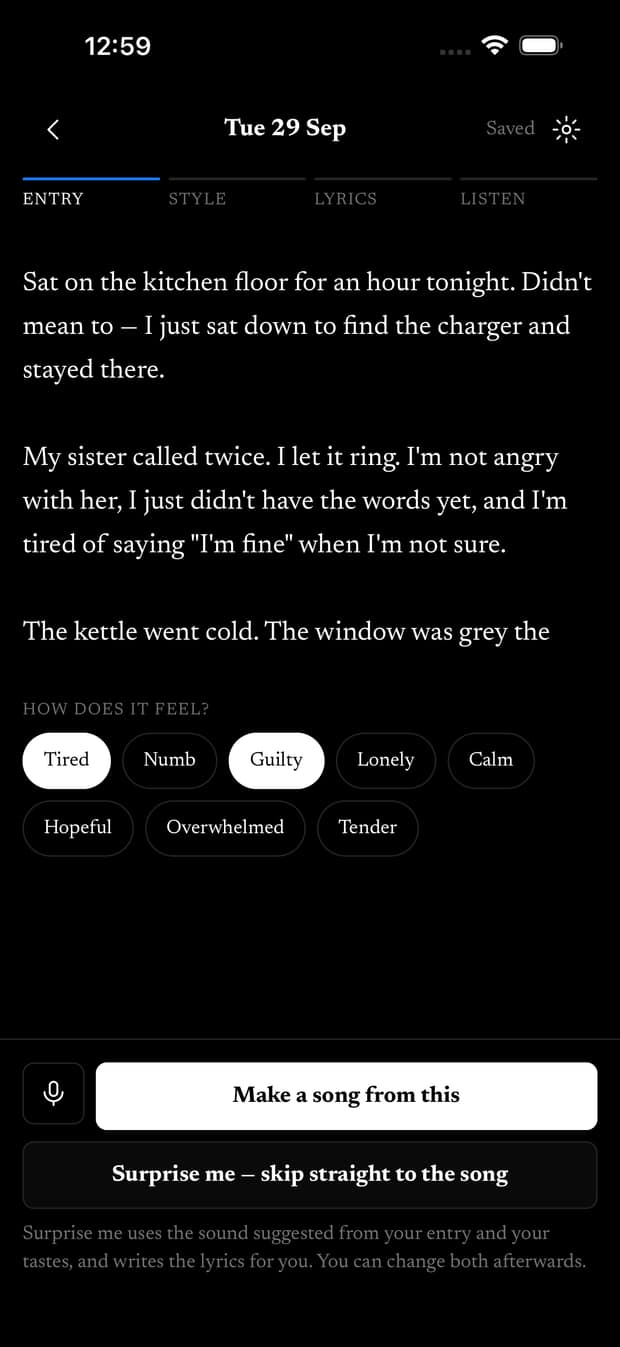
Write about the day the way you would in a notebook. What happened, who said what, how it felt. There's no prompt to fill in and no form to complete.

The entry is the input, and that's the whole difference between this and a generator. You're not describing a song you want. You're writing down what happened.

An entry in Feel It Back, with the writer's words and feelings.

Step 02 / 04

Give it a sound

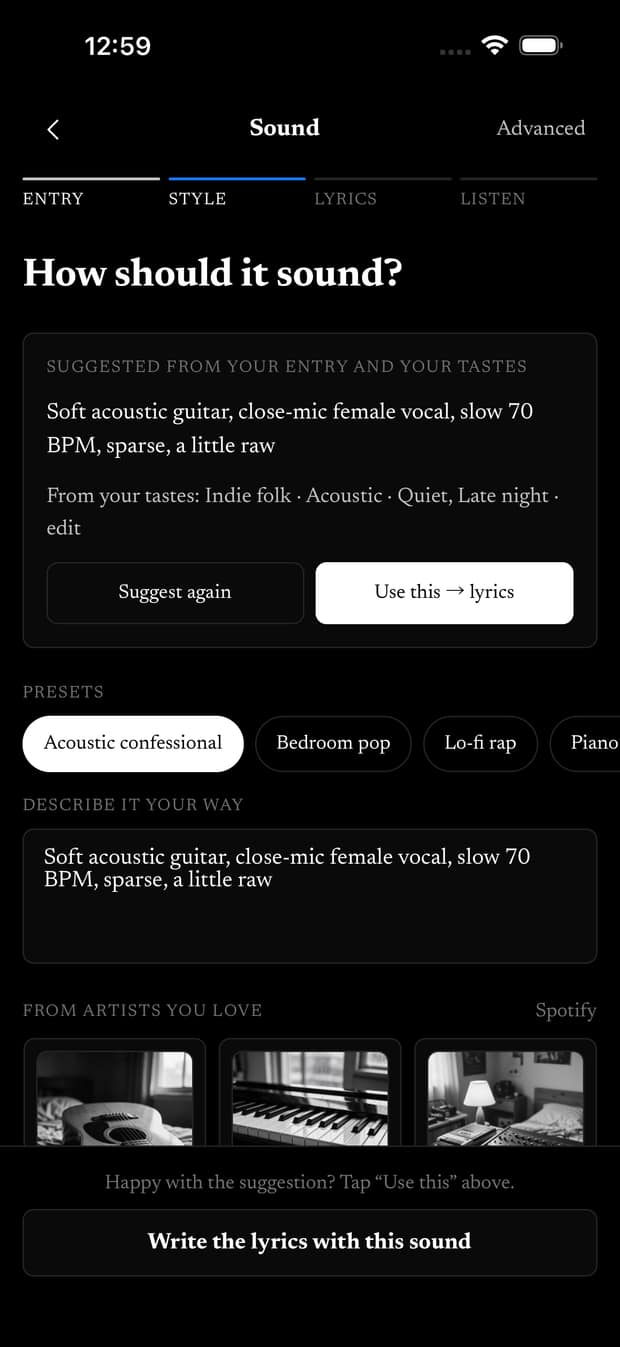
Pick how it should sound. Slow and quiet for the 1am entry. Something with a pulse for the morning you finally finished the thing. It's a decision you make, not a style tag you have to learn to write.

Sound suggestions and a space to describe a musical direction.

Step 03 / 04

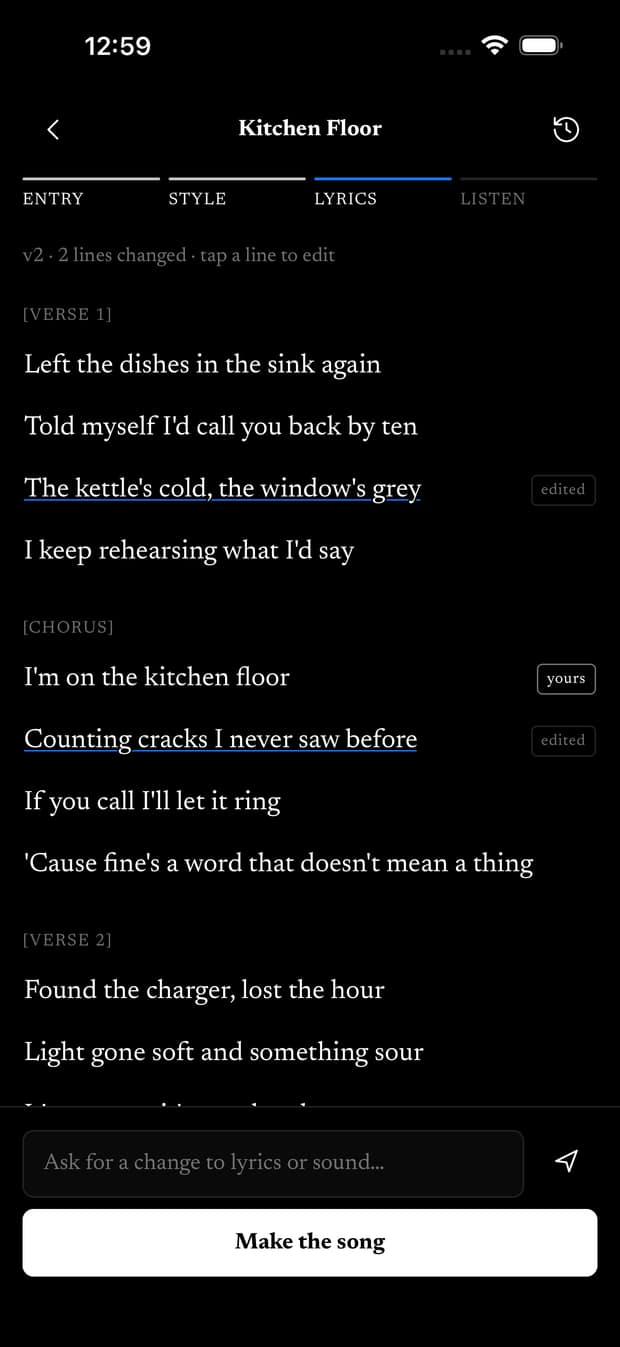
Keep the words that matter

Mark the lines that have to survive. They come back exactly as you typed them. Everything else is open: change a verse, rewrite a line, hear it again with a different ending.

This is also how you find out what you think. A hopeful ending that reads as dishonest tells you something about the week.

A lyric draft with lines marked as edited or belonging to the writer.

Step 04 / 04

Hear it back

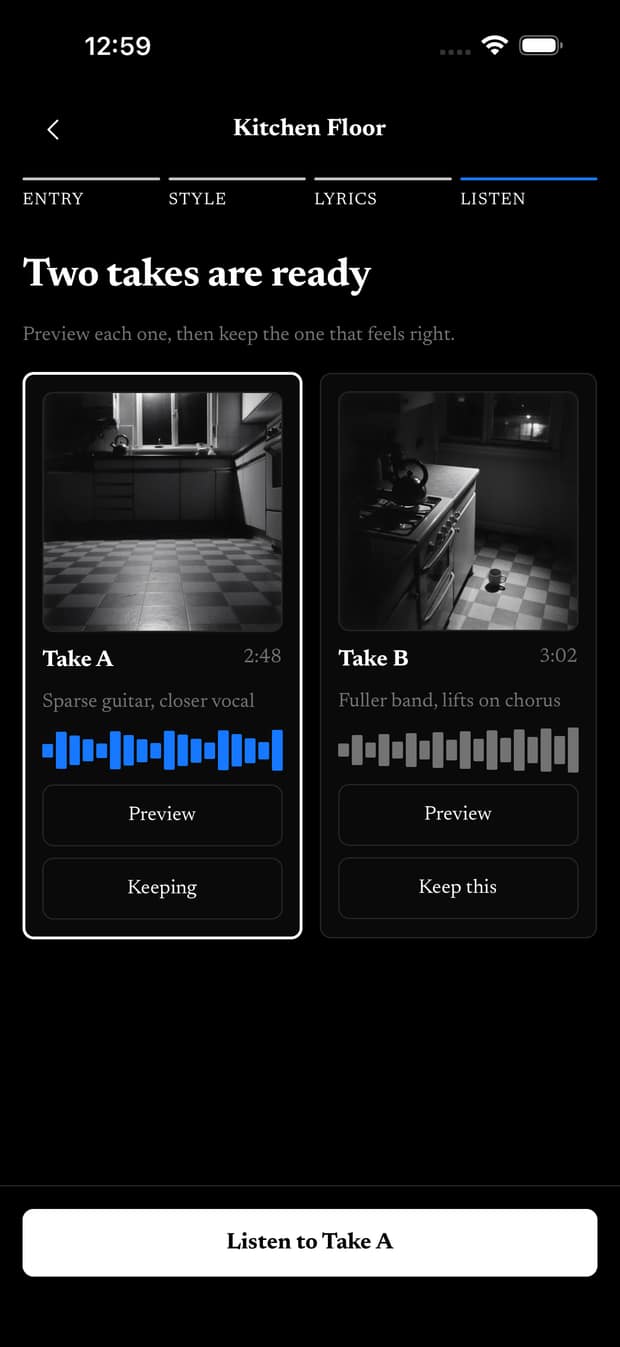
Takes come back and you compare them. Keep the one that's true, drop the rest, play it on the walk.

What you have at the end isn't a demo and isn't a present. It's your story, in a form you can play.

Two song takes with waveforms, and one chosen to keep.

Or leave it as a journal (and Go Deeper)

Saving an entry never forces song generation. You can tag feelings, record voice notes you review before inserting, or attach photos with how they felt—and leave the page right there.

When you want a quiet pause, Go Deeper is an opt-in step on a saved entry: one grounded observation and one question kept separate from your writing. Reflections never enter a song automatically.

Journaling for feelings and reflection

What the next song knows

Write again next week and it doesn't start from scratch.

People, relationships and the things that happened carry across your entries. So the song about your anniversary knows about March, and the one about the move knows who helped you carry boxes.

Where your writing goes

  1. When you save

    Your entry, feeling tags, voice notes, and photos are stored privately in your account. No AI model sees anything when you save.

  2. When you ask for lyrics or Go Deeper

    Only when you ask—after granting the AI disclosure—does that entry reach the text model to draft lyrics or offer one quiet reflection question.

  3. When you make a song

    The music provider never sees your raw journal entry or reflections. It receives only the lyric version you approved and your chosen sound direction.

What it costs

Writing is free. Five songs to try, then $10 a month for 30 songs.

What the plans cost

If what you want is a finished piece of music

This isn't it. No stems, no mixing desk, nothing to export and work on. The song is how the story comes back, not a thing to produce.

Coming soon to iOS and Android

Choose a mobile waitlist and we’ll email you when the app launches on your platform.

Already open on the web — start writing free

Choose your platform

One email when your platform launches. No spam.